
Commands to start Route
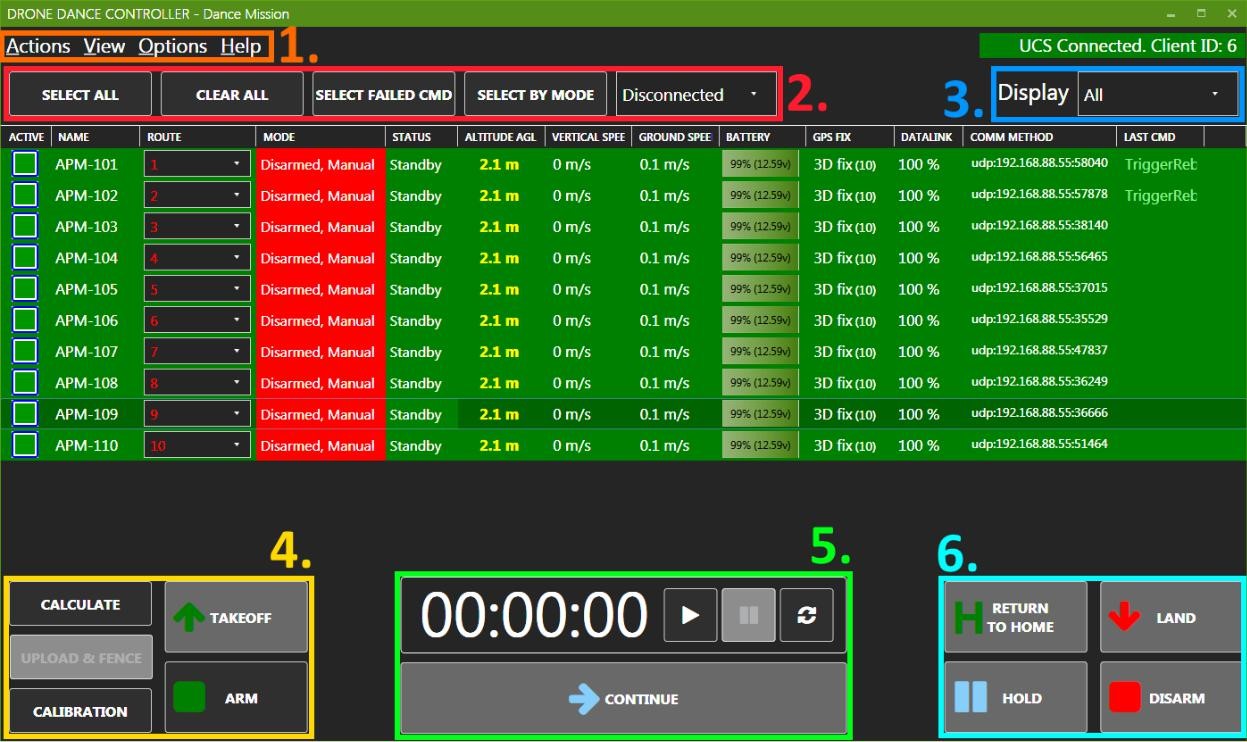
The following commands are available in Route starting tab (Nr. 4 in the Image):
• Calculate – Calculates the route for selected vehicles
• Upload & Fence – Uploads the route, sets Geo-Fence, and sets altitude offset_
• Calibration - Recalibrates the barometer
• Takeoff – Starts mission execution
• ARM – arms the motors
The altitude offset parameter is used to correct vehicle altitude when disarmed and placed on the ground
Updated over 1 year ago
Did this page help you?